 Essential Mac Apps
Notion
Notes, docs, and databases for Mac.
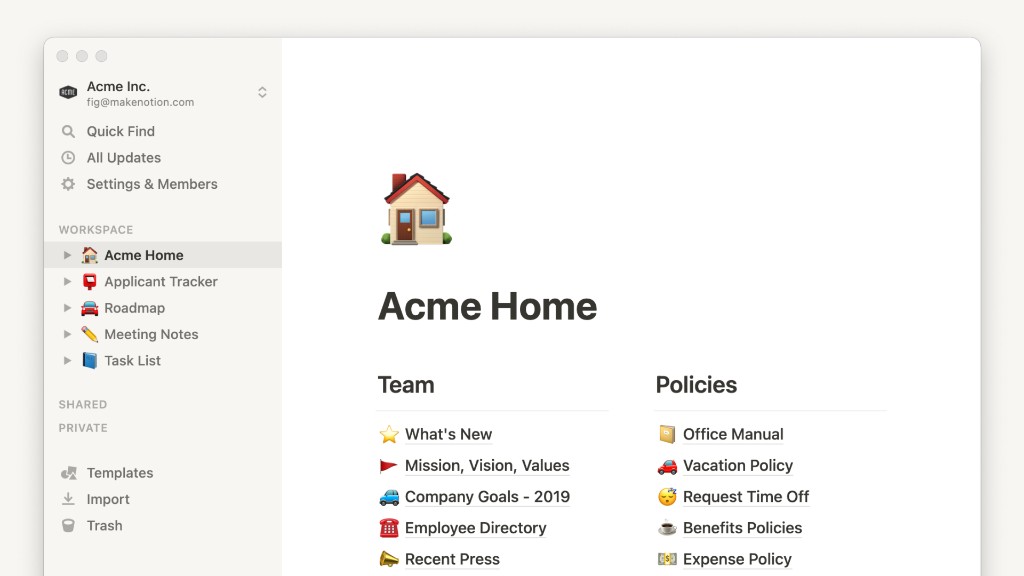
Notion is a workspace from Notion Labs for notes, documents, wikis, and databases. The Mac app is a direct download, with a universal build plus separate builds for Apple Silicon and Intel.
A page is made of blocks, such as text, to-dos, and images. Databases can include properties, subtasks, and dependencies. Recent and favorite pages download for offline use. Notion Calendar and a web clipper ship with the product.
The Free plan is for one person and does not cap how many pages you add. A free workspace with two or more people has a limit on new blocks, and Free file uploads stop at 5 MB. Plus, Business, and Enterprise are paid per member. Guests can be invited to a single page without taking a paid seat.
Frequently asked questions
What is Notion?
A workspace for notes, docs, wikis, and databases. Each page is built from blocks such as paragraphs, to-dos, and images.
Is there a Mac app?
Yes. notion.com offers a universal Mac download, an Apple Silicon build, and an Intel build. You can also install it with brew install --cask notion.
Is Notion free?
There is a Free plan. One person can add unlimited pages. A free workspace with multiple members can add only a limited number of new blocks. Plus, Business, and Enterprise are paid per member.
Does the Mac app work offline?
Recent and favorite pages download automatically so you can open them offline.
Can I share a page without another paid seat?
Yes. Guests are free. They can open the individual pages you invite them to, and they do not see the rest of the teamspace.
How do refunds work?
Email team@makenotion.com. Notion refunds a monthly plan within 3 days of signup, and an annual plan within 30 days. Some regions allow a longer window.
Who makes Notion?
Notion Labs.
Gallery
Related apps
Alternatives
No alternatives listed yet.