 Essential Mac Apps
OBS Studio
Free screen recorder and live streaming studio.
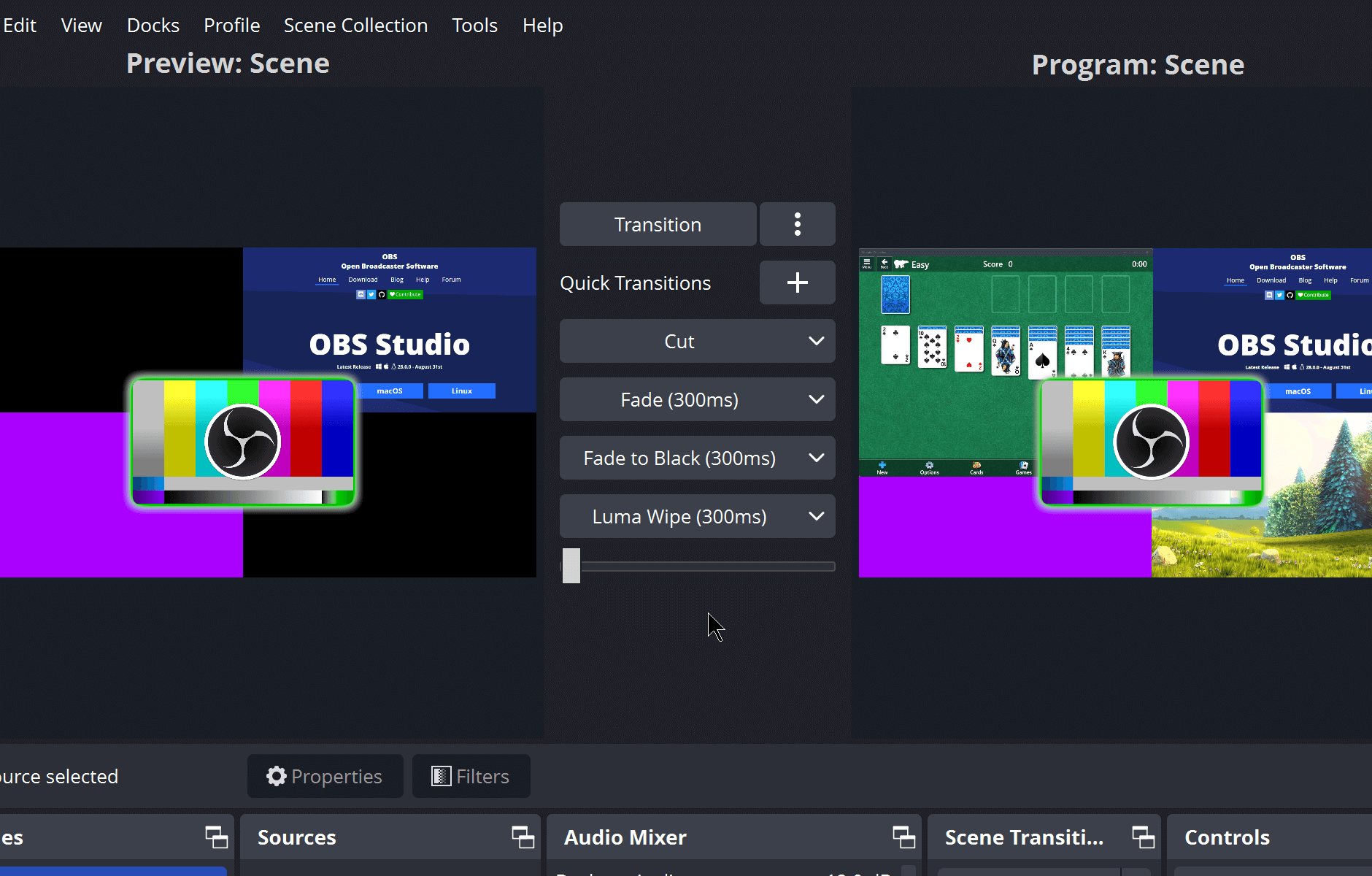
OBS Studio records video and streams live on a Mac. You build a scene from sources such as a window, an image, text, a browser page, a webcam, or a capture card, then switch between scenes with a transition.
The audio mixer has per-source filters, including a noise gate, noise suppression, and gain, and it can load VST plugins. Hotkeys can start or stop a recording or stream, switch scenes, and mute a source. Studio Mode lets you preview a scene before you send it live. Multiview can show several scenes at once.
Plugins and scripts extend the app. Native plugins run inside OBS Studio, and scripts can be written in Lua or Python.
OBS Studio is free and open source under the GNU General Public License version 2. The Mac download requires macOS 13 or later, with separate installers for Apple Silicon and Intel. Get it from obsproject.com.
Frequently asked questions
Is OBS Studio free?
Yes. It is free to download and the source is published under GPL-2.0. Lain created the project, and other contributors maintain it.
Which Macs can run it?
macOS 13 or later. The download page has one installer for Apple Silicon and one for Intel.
What can I capture?
A scene can include window captures, images, text, browser windows, webcams, and capture cards. You can keep more than one scene and switch them with a transition.
Can I check a scene before it goes live?
Yes. Studio Mode shows a preview before you push a scene live. Multiview can show up to 8 scenes so you can cue the next one.
Can I add features?
Yes. OBS Studio has a plugin and script API. Scripts can be Lua or Python. The site points people to its Resources section to browse plugins.
Where do I download it?
From obsproject.com. The Mac files are separate installers for Apple Silicon and Intel. The source is on GitHub.
Gallery
Related apps

Alternatives
No alternatives listed yet.